Node.js has established itself as one of the most powerful and widely adopted JavaScript runtime environments for server-side development.
In 2026, it continues to power high-traffic applications at companies like Netflix, PayPal, LinkedIn, Uber, and Walmart. If you’re wondering what Node.js is, how its architecture works, what key features make it stand out, and where it is practically used, this comprehensive guide will walk you through everything you need to know.
What is Node.js?
Node.js is an open-source, cross-platform JavaScript runtime environment that allows developers to execute JavaScript code outside the browser, primarily on the server side. It was initially released in 2009 by Ryan Dahl and is built on Google’s high-performance V8 JavaScript engine — the same engine that powers Google Chrome.
Unlike traditional server-side technologies that use different languages for frontend and backend, Node.js enables full-stack JavaScript development. You can use the same language (JavaScript or TypeScript) for both client-side and server-side code, which significantly reduces context-switching and speeds up development.
Node.js is not a framework or a library — it is a runtime that includes a rich set of built-in modules for handling file systems, networks, cryptography, and more. It comes with npm (Node Package Manager), the world’s largest software registry with millions of packages, making it extremely extensible.
Node.js Architecture: Understanding the Core Design
The real magic of Node.js lies in its unique architecture, which makes it exceptionally efficient for I/O-heavy operations.
1. Single-Threaded Event Loop
Node.js runs on a single-threaded model with an event loop at its heart. This means all JavaScript code executes on one main thread. While this might sound limiting, it actually provides huge advantages when combined with non-blocking operations.
The event loop continuously checks for pending tasks and executes them in phases (timers, pending callbacks, idle/prepare, poll, check, and close callbacks). It never blocks unless you deliberately write synchronous code.
2. Non-Blocking I/O Model
Traditional servers (like those in older PHP or Java setups) often use blocking I/O — the thread waits until a file read, database query, or network request completes before moving to the next task. This leads to inefficiency under high load.
Node.js uses non-blocking (asynchronous) I/O. When an I/O operation (reading a file, querying a database, or making an API call) is initiated, Node.js offloads it to the operating system’s kernel or a small libuv thread pool (default size 4, configurable up to 128). The main thread immediately continues processing other requests. Once the operation finishes, a callback or promise is triggered via the event loop.
This design allows a single Node.js process to handle thousands of concurrent connections with low memory overhead.
3. Event-Driven Architecture
Everything in Node.js revolves around events. You register listeners for events (e.g., “request received”, “file read complete”, “error occurred”) using the built-in events module or frameworks. When an event fires, the corresponding handler executes.
This makes Node.js highly suitable for real-time applications where data flows continuously.
4. Libuv and V8 Engine
- V8 Engine: Compiles JavaScript to machine code for fast execution.
- libuv: A cross-platform library that provides asynchronous I/O, event loop implementation, and thread pool support. It abstracts differences between operating systems (Windows, macOS, Linux).
Together, these components enable Node.js to deliver high throughput while remaining lightweight.
Practical Uses of Node.js
Node.js excels in scenarios that require high concurrency, real-time data processing, or rapid development. Here are its most common and powerful use cases:
1. Building Web Servers and REST/GraphQL APIs
Node.js is widely used to create lightweight, fast backend APIs. Frameworks like Express.js, Fastify, or NestJS (with TypeScript) make it easy to build scalable RESTful services or GraphQL endpoints that serve data to React, Angular, or Vue.js frontends.
2. Real-Time Applications
This is where Node.js truly shines. Using WebSockets (via Socket.io or ws library), developers build:
- Chat applications (similar to WhatsApp or Slack features)
- Live dashboards and collaboration tools (like Trello)
- Online gaming servers
- Stock trading platforms with live updates
The event-driven model handles bidirectional communication efficiently.
3. Microservices Architecture
Node.js is ideal for breaking large applications into small, independent services. Its lightweight nature allows quick startup and easy scaling of individual services.
4. Serverless Computing
Node.js functions deploy seamlessly on AWS Lambda, Google Cloud Functions, or Vercel. Its fast cold-start times and low resource usage make it a favorite for serverless backends.
5. Command-Line Tools (CLI) and Dev Tools
Many popular developer tools are built with Node.js, including:
- npm/yarn/pnpm themselves
- Bundlers like Vite and Parcel
- Testing frameworks (Jest, Mocha)
- Automation scripts
7. Streaming Services and Media Platforms
Netflix uses Node.js to improve startup times and handle content delivery logic. Its streaming capabilities suit video/audio processing pipelines.
Also Read: A Complete Introduction to ReactJs
Download and install Node.js for your computer
The source code is written in javascript and we will use an interpreter for executing our Node.js javascript code. You can download it from the official link. It is also recommended to use Visual Studio Code so that you can see and understand the work that goes into running code.
Verifying Installation
After downloading and installing it, you can check it on your system. Simply create and save a file with sample.js name and save. Type the code below in Visual Studio Code Terminal:
Console.log(“Hello and Welcome to DigitalGyan”)It’s not compulsory to use a semicolon at the end. But as a programmer, you should use it.
After that type:
node sample.jsIf everything is working, then you will get the Output
Hello and Welcome to DigitalGyan
Creating a Simple Web Server on your local machine
To create a simple web page, follow the steps below:
Create a file named sample.js and save it
Write the following code:
Var http = require(‘http’);

# require(): This method is used to add a header file, which consist of pre-defined functions.

http.createServer(function (req, res) {
res.writeHead(200, {‘Content-Type’ : ‘text/html’ });
res.end(‘Hello World!’);

}).listen(8080);
# the createServer function is used to create a Server that will handle request and response method to your local browser.

#res.write is used to generate a response status with 200, “OK” and the type of file which server will send.
# res.end is the output that will be returned.
We’ll cover more about the code in a later course.
Save the file, open the terminal, and type
node sample.jsNow, your computer becomes a server.
After this, you can open your browser and type the following address
https://localhost:8080You will get the output.
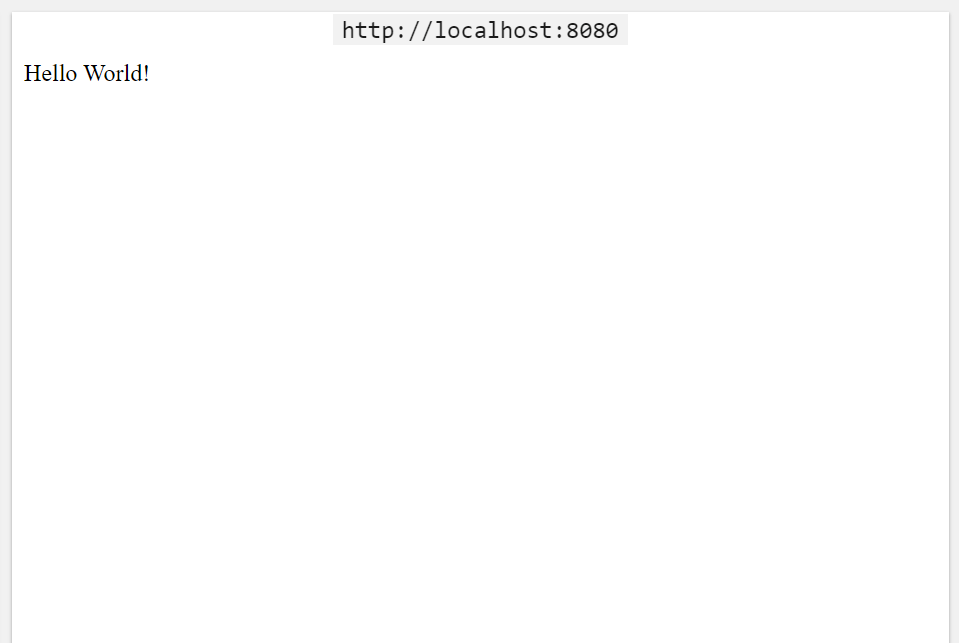
If anyone tries to connect to this port 8080 on your computer. This will display the same output message.
When to use Node.js?
If you have these conditions, then Node.js is the best tool you should use. These conditions are:
- Data Intensive Real-time Applications (DIRT)
- Single Page Applications
- I/O bound Applications
- JSON-based Applications
- Data Streaming Applications
It’s actually possible to build a fully featured, high-performance business application using Node.js without ever requiring the support of an operating system. Sure, there are other ways to build an application. But Node.js is definitely one of the better ways to do it.
Also Read: Difference between Sequence Diagram and a System Sequence Diagram
Potential Drawbacks and When Not to Use Node.js
Node.js is not ideal for CPU-intensive tasks (e.g., heavy image/video processing, complex mathematical computations, or machine learning training) because the single thread can become blocked. For such workloads, combine it with Worker Threads, offload to other services (Python for AI, Go/Rust for compute), or use queues.
It also requires careful handling of errors and callbacks (or proper use of async/await and promises) to avoid “callback hell” or memory leaks in long-running processes.
Conclusion
Node.js is much more than just a tool to run JavaScript on the server. Its event-driven, non-blocking architecture, combined with the powerful V8 engine and massive ecosystem, makes it an outstanding choice for building fast, scalable, and real-time applications in 2026.
Whether you’re developing APIs, real-time chat systems, microservices, or full-stack JavaScript applications, Node.js offers the performance, developer experience, and flexibility needed for modern web development. Its continued adoption by industry giants and active evolution ensure it remains a top-tier technology for years to come.