A page builder lets you design WordPress pages by dragging and dropping elements instead of writing code. The right one saves hours of work. The wrong one slows your site and locks you in.
Quick answer: Elementor is the best all-round choice for most people. Beaver Builder suits developers who want clean, stable code. Divi gives the best value if you build many sites. Thrive Architect is built for landing pages that convert. WPBakery makes sense only if your theme already includes it.
This guide compares all five on features, ease of use, speed and price. We also cover whether you need a page builder at all.
Quick comparison
| Builder | Best for | Free version | Pricing model |
|---|---|---|---|
| Elementor | Beginners, freelancers, online stores | Yes | Pro starts at about $60 a year for one site |
| Beaver Builder | Developers and agencies | Yes (limited) | Yearly plans, all cover unlimited sites |
| Divi | Anyone building many sites | No | $89 a year or $249 once, unlimited sites |
| Thrive Architect | Marketers, landing pages, funnels | No | Sold alone or inside Thrive Suite |
| WPBakery | Sites using a theme that includes it | No | One-time licence per site |
Prices were checked in November 2026. Vendors change them often, so confirm on each official pricing page before you buy.
1. Elementor Page Builder
Best for: beginners, freelancers and WooCommerce stores.
Elementor is the most popular page builder for WordPress. You edit the page live and see changes as you make them. The free plugin covers the basics. Elementor Pro adds a Theme Builder for headers and footers, a Popup Builder, a Form Builder and WooCommerce tools.
It also has the biggest library of third-party add-ons and templates. Newer plans include monthly AI credits for writing and layout help. If you want other options, read our guide to alternatives to Elementor.
Downsides: Pro is priced per site, so costs rise if you manage many sites. Pages can get heavy if you stack too many widgets and add-ons.
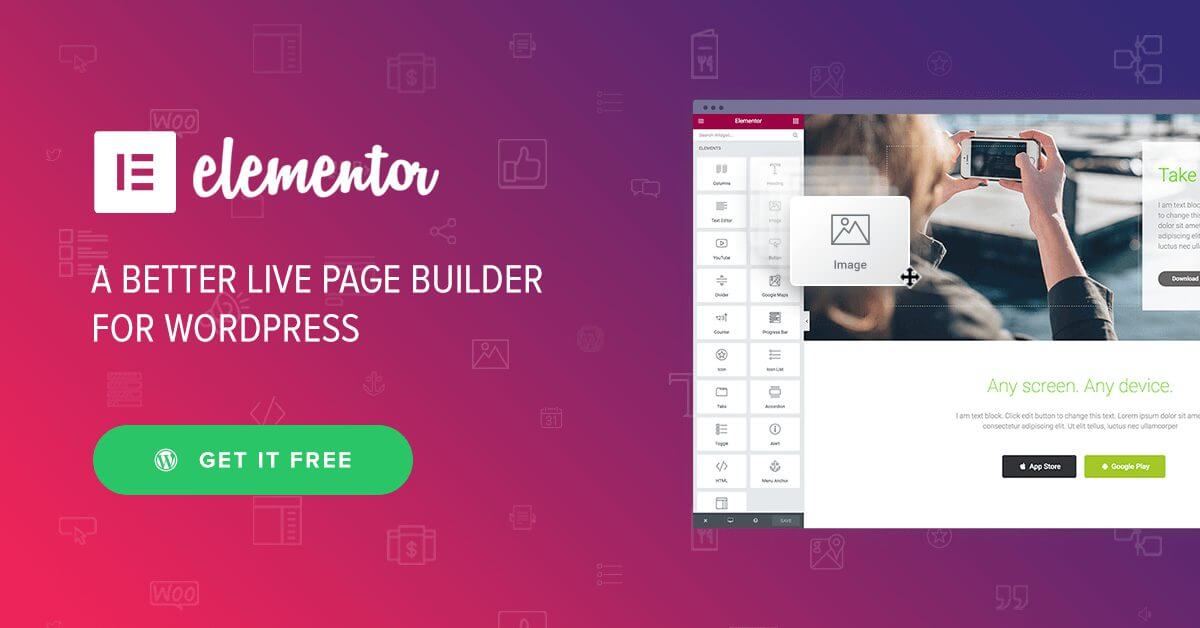
Elementor Pro continues to offer advanced capabilities such as dynamic content, WooCommerce site building, custom CSS, and marketing integrations. It also includes global design controls that allow users to manage typography, colour schemes, and spacing from a central dashboard—ideal for maintaining brand consistency across multiple pages or sites.
Beaver Builder
Beaver Builder has been around for years and is known for clean code and few surprises. The editor is simple and uncluttered. Developers can extend it with hooks and filters. The Beaver Themer add-on lets you design headers, footers and archive pages.
There is a free Lite version with a limited set of modules. Every paid plan covers unlimited sites, which makes it good value if you build for clients. White-labelling is available on the higher plans.
Downsides: It has fewer widgets and templates than Elementor, and it leans less on AI tools. Its look is plain, which some designers like and others find limiting.
Also Read: Most Popular WooCommerce Themes in 2026 for Your Online Store
3. Divi Builder
Divi Builder by Elegant Themes remains a formidable competitor, offering a sophisticated visual editing experience that appeals to designers, developers, and business owners alike. Known for its sleek interface and powerful customisation options, Divi has maintained its reputation by steadily improving performance, responsiveness, and user experience.
This year, Divi introduced advanced AI integration that assists with layout optimisation, provides copy suggestions, and even generates colour palettes based on user preferences. These additions have made the builder more intuitive, especially for non-designers looking to produce professional-looking websites without relying heavily on external tools.
One of Divi’s strongest features remains its inline text editing and real-time design updates, allowing users to modify content directly on the page. The builder offers an extensive range of modules and pre-designed templates, and the new smart content-saving options now allow users to create reusable blocks with version control—ideal for agencies managing multiple projects.
The big draw is price. You pay $89 a year, or $249 once for lifetime updates, and you can use it on unlimited sites. Inline text editing and a large set of layouts make it quick to learn.
Downsides: Divi AI and Cloud storage are Pro add-ons that renew yearly, even on the lifetime plan. Pages built with older Divi 4 can leave messy shortcode text behind if you ever switch builders.
Also Read: Top 8 WordPress Membership Plugins in 2026
4. Thrive Architect
Best for: marketers, bloggers and anyone selling online.
Thrive Architect is a page builder made for conversions. It focuses on landing pages, sales pages and funnels. It comes with ready-made templates and tools for things like countdown timers, so you can set up a sales page without extra plugins.
It is part of Thrive Suite, a bundle that also includes Theme Builder, Leads, Quiz Builder and course tools. If you run a business site and want everything in one place, the bundle can save money.
Downsides: It costs more than the other builders here. It is not a full theme builder unless you add Thrive Theme Builder. Check the renewal price before you buy, because it can be higher than the first-year offer.
5. WPBakery Page Builder
Best for: sites that use a theme with WPBakery already built in.
WPBakery comes bundled with many themes sold on ThemeForest. It offers both front-end and back-end editing, and you pay a one-time licence fee per site instead of a yearly subscription.
Downsides: Its styling options are limited compared with newer builders. The interface feels dated, and removing it can leave shortcodes in your content. If your theme includes it, you can keep using it. For a new site, pick one of the other four.
Do you need a page builder at all?
Not always. The built-in WordPress block editor handles many blogs and small business sites well. It adds less code, so pages tend to load faster.
A page builder helps when you need complex layouts, popups, custom headers or landing pages and you do not want to code them. Weigh the speed cost first. Slow pages hurt your Core Web Vitals, which feed into Google’s page experience signals.
Final words
Elementor is the safest pick for most people. Beaver Builder is the steady choice for professionals. Divi wins on price across many sites. Thrive Architect suits marketers. WPBakery is best left to sites that already have it. Test the free versions or the refund periods, and choose the one that feels natural to you.